Unified management for the dining room, kitchen production and deliveries
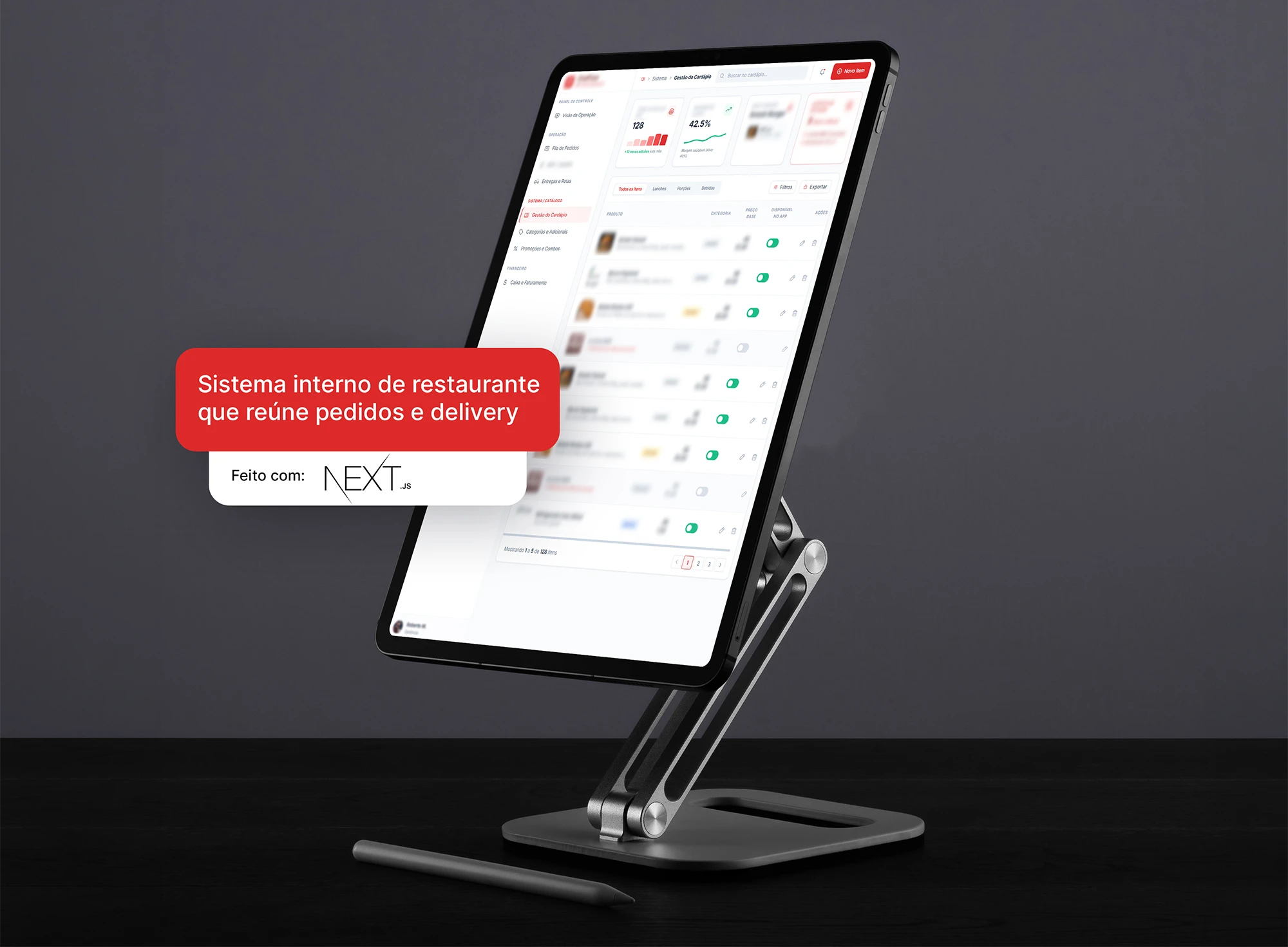
An internal restaurant system that brings together dine-in and delivery orders, sends each item to the kitchen and organizes deliveries by configurable routes.
- Dine-in, counter and delivery, one queue
- Kitchen gets orders in dispatch order
- Deliveries grouped by route
The challenge
Dine-in orders in one place, delivery orders in another, the kitchen receiving everything with no dispatch order and drivers leaving without a defined route. At peak times, orders ran late because nobody could see the whole picture, not because there were too few people.
The solution
An internal system that centralizes all orders in a single queue, sends each item to the right kitchen station and closes the loop at delivery: the operation configures areas and routes, and the system groups the orders that leave together.
What was delivered
-
A single order queue
Dine-in, counter and delivery enter the same queue, with each order's status visible to the whole team.
-
Kitchen on screen
Each item appears at the station that prepares it, in the order it needs to go out.
-
Delivery routes
Areas and routes configured by the operation, with orders from the same region grouped in the same run.
-
Area and fee by region
Regions served and delivery fees defined in the dashboard, without touching code.
-
Menu under control
Items, categories and availability updated by the team, with sold-out items removed from sale immediately.
-
Operations dashboard
Orders by status, preparation and deliveries in progress on a single screen.
Modules
- 01
Orders
Order entry from the dining room, the counter and delivery, with status from receipt to delivery.
- 02
Kitchen
Distribution of items by preparation station, in dispatch order.
- 03
Deliveries and routes
Configuration of areas and routes and grouping of deliveries by region.
- 04
Menu and settings
Items, categories, availability and delivery rules maintained by the team itself.
Access profiles
-
Front of house
Records dine-in and counter orders and follows the status of each one.
-
Kitchen
Sees what to prepare at each station and marks what is ready.
-
Deliveries
Receives deliveries grouped by route and reports completion.
-
Management
Configures the menu, areas and routes and follows the operation on the dashboard.
Integrations
- Maps and routes
- Kitchen printing
How it was built
- Web system Next.js
- A fast internal dashboard that runs on the cashier's computer and the kitchen tablet with no installation.
Details
In a restaurant with delivery, the dining room and deliveries compete for the same kitchen. Without a single queue, whoever shouts loudest goes first, and the order that runs late is always the one nobody was watching.
The system gives the operation a view of the whole: what came in, what is cooking, what is ready and what has gone out for delivery. With routes configured by management, the driver takes everything headed to the same region, and the kitchen works in the order the orders need to go out.